




Sep 28, 2026
September 28, 2026
Discover Clarity™ Portal’s latest updates for Q4 2026
Discover the latest updates to our software for your digital orthodontic treatments.
/ Discover Clarity™ Portal’s latest updates for Q4 2026
September 28, 2026
Discover the latest updates to our software for your digital orthodontic treatments.
We have exciting news! In our upcoming software release, enhancements will be made to Clarity Portal and related products.
The October 2026 release introduces Smile Simulation for Clarity™ Aligners and, for the first time, extends this capability to bracket patients through Clarity™ Digital Bonding.
Smile Simulation in Clarity Portal creates a visual representation of the planned treatment outcome using the patient’s own smile, helping doctors bridge the gap between treatment planning and patient consultation.
Based on the actual Tx Design, and with the option to include whitening, the simulation provides a patient-friendly view of the expected outcome. The simulation can facilitate conversations around treatment expectations and support case acceptance and patient motivation.
Uniquely, with the new Smile simulation for Clarity™ Digital Bonding we extend this experience to bracket patients, allowing doctors to connect bracket placement and wire mechanics to a clear digital treatment vision.
Following the release, the Rx records page will explain what is required for a smile simulation to be returned with a Tx Design. Smile simulation requires a full-face smiling photo of sufficient quality. Follow the link to the Quick start guide for more information and photo guidelines offering tips for capturing an ideal image.
For which products is smile simulation available?
Smile Simulation is available for Clarity™ Aligners and Clarity™ Digital Bonding. Please note that the case must be opted in for smile simulation for a simulation to be generated.
How do I generate a smile simulation?
For a smile simulation to be generated for a case, the case submission must include a full-face smiling photo of sufficient quality. Additionally, the case must be opted into smile simulation. The simulation is generated as part of the Tx Design workflow and will be returned with the Tx Design.
Why don’t I see a smile simulation with my Tx Design?
A simulation may not be generated if a qualifying photo was not submitted, the image quality is insufficient, the case was not opted in to smile simulation or a technical issue occurred during processing.
What type of photo should I submit for my smile simulation?
A full-face smiling photograph with appropriate image quality is essential. Photo quality plays an important role in the resulting simulation, and a higher resolution image will result in a higher quality simulation. Please see the smile simulation quick start guide for more information.
Does the smile simulation replace the treatment plan?
No. Smile simulations are communication tools that complement the treatment plan and help patients visualize intended outcomes. It may be helpful in gaining treatment plan acceptance and supporting patient motivation.
Can smile simulation be used throughout treatment?
Yes. The intended use is to support patient conversations from treatment acceptance through key treatment milestones. An updated smile simulation will be provided with Tx Designs generated at refinement as well as with the initial plan.
To start working with Clarity™, go to Clarity Portal or request more information
We’ve streamlined how treatment designs are presented in Clarity Portal. When opening Tx Designer, users will now see the current approved treatment design and timeline. Historic approved treatment designs and staging remain available and can be accessed from the treatment history dropdown. To enable this simplified user experience, the previous full-history timeline view is being retired.

To start working with Clarity™, go to Clarity Portal or request more information
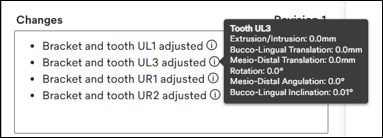
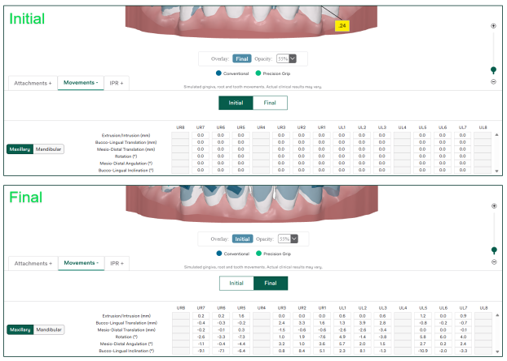
All instances of zero movement in Tx Designer are now recorded as 0.0 on the movement table, timeline and changes tooltip. Initial values will also display 0.0 in revise mode and when toggling between initial and final states to clearly outline the total movement values from initial to final.
Movements table:


Changes tooltip:
Initial/final toggles:
To start working with Clarity™, go to Clarity Portal or request more information
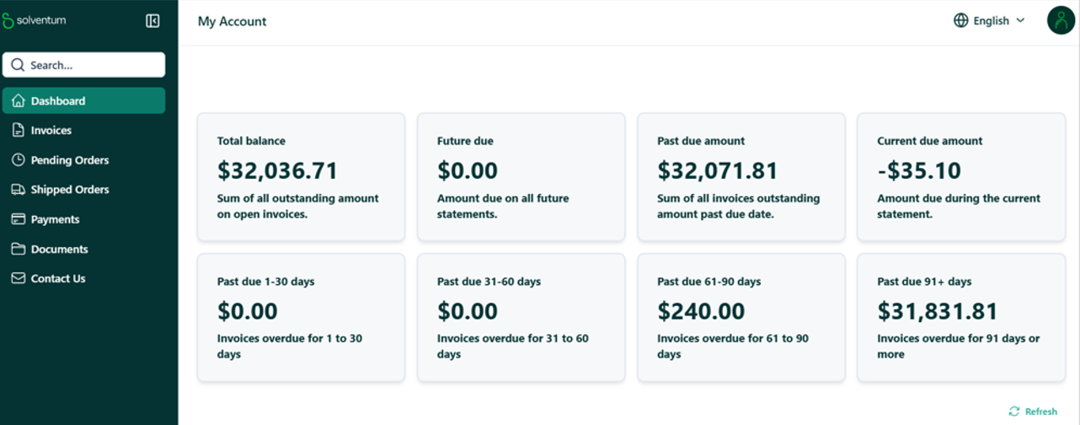
Clarity Portal now provides streamlined access to patient invoice information within my account.
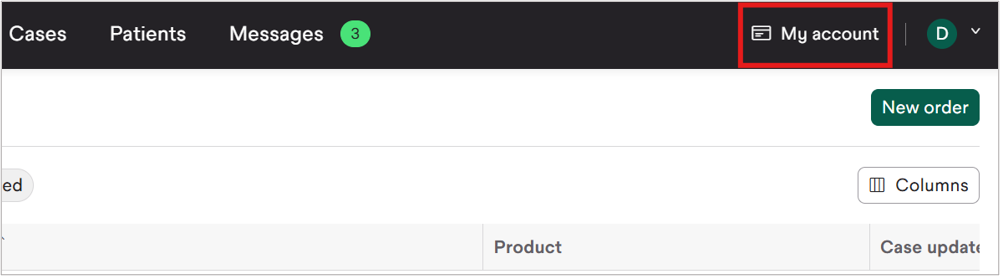
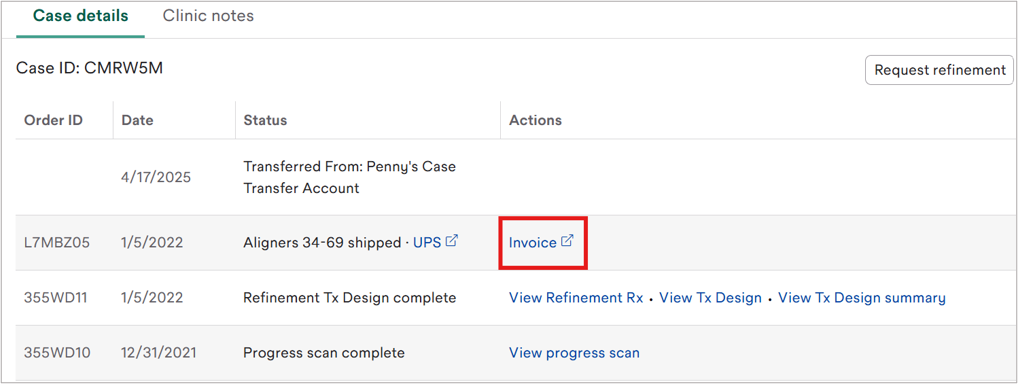
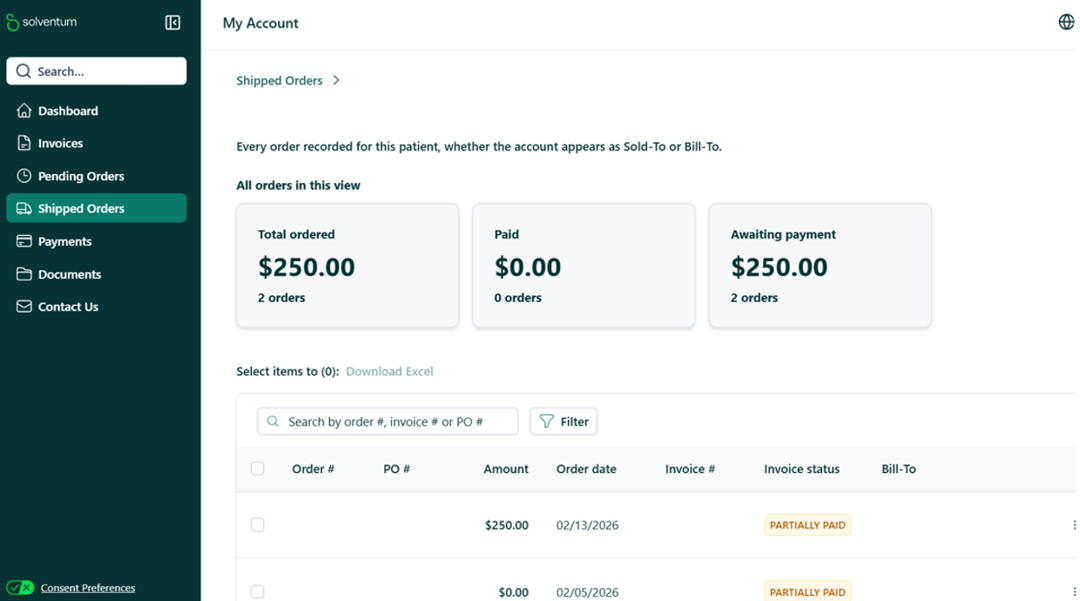
Once a case has been invoiced, my account users can access the related invoice directly from the case details page. Selecting the invoice link on a case details page opens my account and takes the user to the invoice information associated with that case.
This represents a deeper connection between Clarity Portal and the my account interface, supporting your team in moving between clinical and account management activities more efficiently.
If your credentials are not yet established for my account, you may notice the absence of the my account link in the upper right corner of Clarity Portal, and you also will not see the invoice links from case details pages. If you believe you should have access to my account, visit clinic.solventum.com and use the “Request access” workflow to get connected.
To start working with Clarity™, go to Clarity Portal or request more information
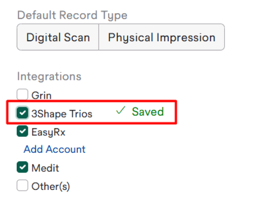
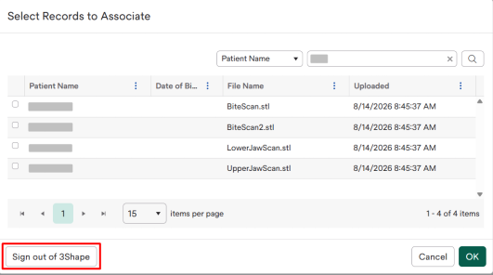
We’ve simplified the 3Shape TRIOS Intraoral Scanner workflow in Clarity Portal. Once you select “3Shape Trios” in the “Integrations” section of the account settings page, the connection happens as part of the case submission workflow. From the records section of the Rx, you can connect your 3Shape account by selecting the 3Shape icon and entering your credentials and then selecting the desired records.
For practices that work across multiple 3Shape accounts, a sign-out option is also available, making it easier to switch between accounts when needed.
To start working with Clarity™, go to Clarity Portal or request more information

With the October release, we’re introducing a refined attachment strategy, fueled by attainment data from treated cases and the perspectives of expert clinicians. The new strategy incorporates new prioritization logic designed to better align attachment placement with treatment objectives. Under the new strategy, attachments are applied selectively and where they are most beneficial, making it a more targeted approach.
In the following situations, we will no longer place attachments by default:
To start working with Clarity™, go to Clarity Portal or request more information