




Oct 5, 2026
/ Introducing ‘My account’: a new way to manage invoices and payments
July 8, 2026
From July 10th (*), ‘My account’ is a new, secure online experience that makes it easier to manage Solventum invoices, payments, and account access. It’s powerful account management, all in one place.
(*) Launch date may vary by country
With ‘My account’, you can:
This enhancement is focused on removing administrative friction and giving you more control, so you can spend less time an account management and more time with patients.
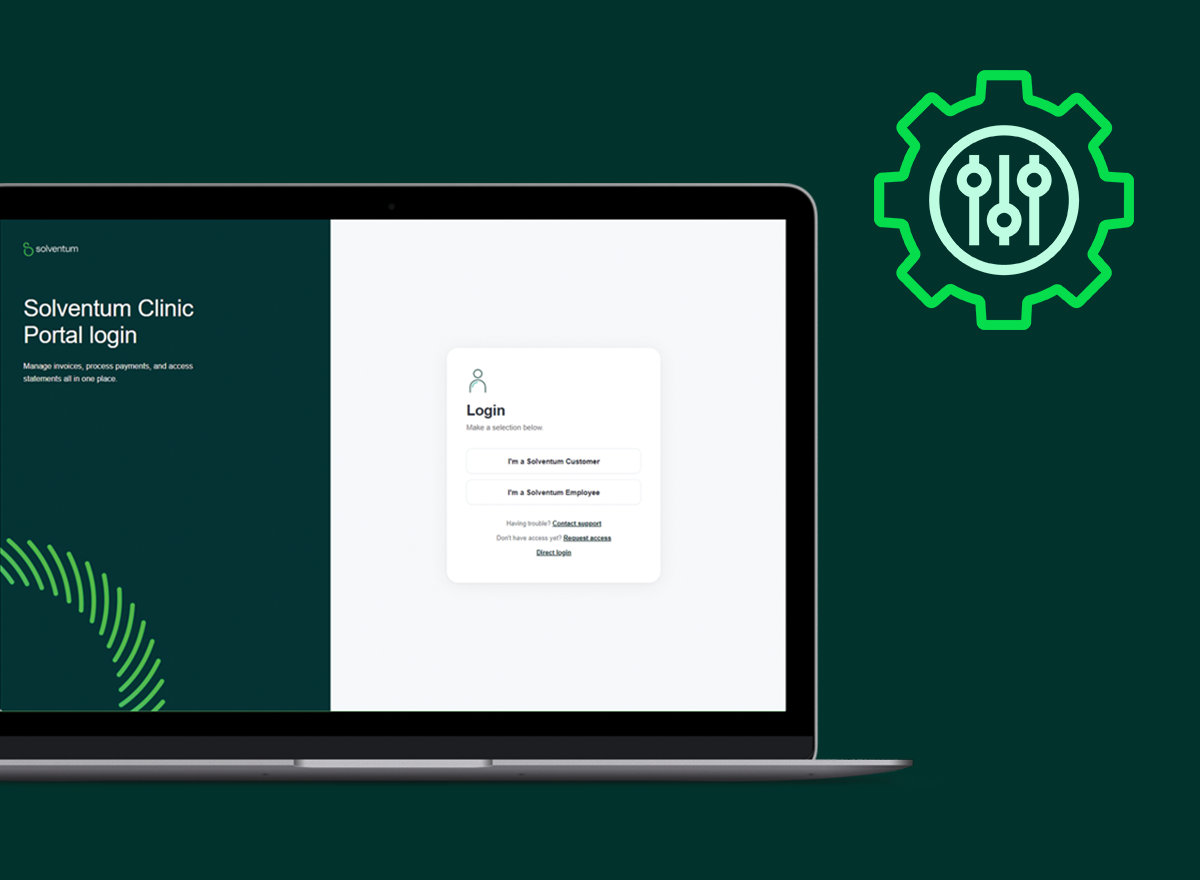
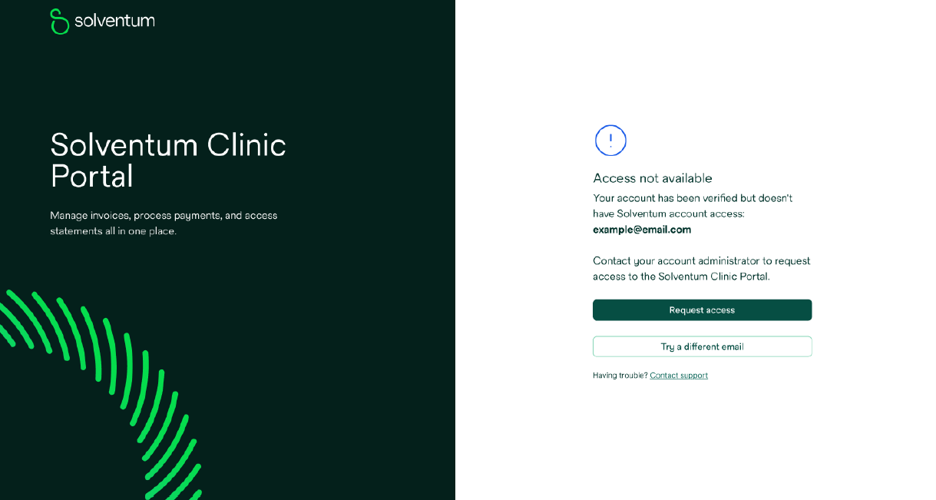
You can sign into ‘My account’ through to clinic.solventum.com. If you believe you should have access but encounter an error, please use the “request access” link to get connected.
‘My account’ is also accessible through Clarity Portal or Shop Ortho.
‘My account’ is connected to Clarity Portal or Shop Ortho and enables eligible users to flexibly manage payments on their traditional orthodontic purchases and custom orders.
Users can:
For practices managing multiple team members, ‘My account’ makes it easy to keep access aligned with responsibilities.
Eligible users can:
All team members with access to ‘My account’ can manage their own notification preferences, helping users keep communication relevant and reducing unnecessary administrative burden.
‘My account’ is a connected part of the broader Clarity digital ecosystem. Users enter ‘My account’ through Clarity Portal or Shop Ortho via single sign-on, making it easy to move between clinical, case management and account management activities.
‘My account’ is focused on high‑value, foundational account management tasks that users expect to be able to self-serve online.
I have existing access to Shop Ortho, but my credentials are different from the ones I use to access Clarity Portal. What should I do if I want to access the ‘My account’ interface?
If you have different email addresses for accessing Shop Ortho and Clarity Portal, you should ensure your Clarity Portal credentials are reflected in my account. The admin user will be able to add you with the email address you use to login to Clarity Portal at the “Account users and preferences” link available from the avatar in the upper right corner of the ‘My account’ interface.
I encountered an error when I clicked on the “My account” link. How can I gain access to My account?
Please click “Request access” and populate the form at the link. A Solventum team member will follow-up. Alternatively, an admin user on ‘My account’ can add you at the “Account users and preferences” link available from the avatar in the upper right corner of the ‘My account’ interface. Please ensure they add you using the email address you use to login to Clarity Portal.
What is the ‘My account’ interface?
‘My account’ is a central place for practices to view, understand, and manage their Solventum account activity. It brings together everyday account management tasks into one intuitive experience, including invoices, payments, and account access. From Clarity Portal, it is accessible from the “My account” link in the upper right-hand corner of the screen.
How do I login to the ‘My account’ interface?
‘My account’ is accessed directly from Clarity™ Portal through secure single sign‑on (SSO). If you are signed in to Clarity Portal, you are already connected. From Clarity Portal (clarity.solventum.com), it is accessible from the “My account” link in the upper right-hand corner of the screen. It can also be accessed directly at clinic.solventum.com. If you have issues accessing ‘My account’, complete the form at the “Request access” link to gain access.
Why was the ‘My account’ interface created?
‘My account’ was designed to provide clearer account visibility and simplify everyday account management tasks, such as understanding invoices, managing payments, and keeping account access up to date. With ‘My account’ you can complete these tasks without navigating multiple systems.
Who can use the ‘My account’ interface?
‘My account’ supports both single‑location and multi‑location practices. Users have visibility into the accounts they are associated with, while access to information and functionality is controlled by assigned roles.
Do all Clarity Portal users have access to the ‘My account’ interface?
No. Access to ‘My account’ depends on how the account is set up within Solventum systems. For example, Clarity users who purchase through resellers may not have access to my account. Eligibility is checked using the user’s email address by our single sign-on authenticator. If you have issues accessing ‘My account’, complete the form at the “Request access” link to gain access.
What user roles are available in ‘My account’?
‘My account’ supports admin, billing and viewer roles. Each role has different permissions based on the level of access required. Every user can manage their own communications preferences.
What can admin users manage in the ‘My account’ interface?
Admin users can add and manage users and payment methods, manage notifications, and make payments in applicable countries where digital payment is enabled.
Can all users make payments in the ‘My account’ interface?
No. Only users with appropriate payment eligibility (such as admin or billing roles) can make payments or manage payment methods (availability varies by country). Viewer users cannot make payments.
Can I view both paid and unpaid invoices in ‘My account’?
Yes. ‘My account’ allows users to view outstanding invoices as well as invoices that have already been paid.
Can I search or filter invoices in ‘My account’?
Yes. Users can search and filter invoices, including future‑due invoices, to help manage upcoming payments.
Can I download invoice data from ‘My account’?
Yes. Invoice line-level data can be downloaded from my account in formats including Excel, CSV, and PDF.
What payment options are available in ‘My account’?
Where online payments are enabled, eligible users can pay invoices in full, pay a custom amount, or pay by line item (US only, for eligible consolidated invoices). Available options depend on region, account setup, and user role.
Can I manage payment methods in ‘My account’?
Yes. In regions where online payments are enabled, admin and billing users can view, add, or delete payment methods in ‘My account’.
Why might my card information update automatically in ‘My account’?
If there is an existing relationship between the payment service provider and the issuing bank or credit card company, card information may automatically update.
Is the ‘My account’ interface secure?
Yes. ‘My account’ is accessed through secure single sign‑on, and users only see the accounts and functions they are authorized to access based on their role.
Will I see information for accounts I’m not associated with in ‘My account’?
No. ‘My account’ only displays information for accounts the user is authorized to access.